
IMAP & POP

Understanding Your Email Delivery Options

Request a Quote

BENEFITS OF IMAP & POP

Peace of Mind

Using an archiving system to back up your IMAP or POP server accounts is the most dependable, fail-safe method to guarantee that the crucial business and personal data found within your emails isn’t lost or altered in any way.

Seamless Operation

Intradyn’s Email Archiver is a reliable solution that enables you to capture, save and index all emails from various servers, including incoming and outgoing email, historical emails from the mail server and more, all in the exact condition in which they were sent and received.

Customization

Set up an Intradyn Archiving Appliance to back up IMAP email from multiple servers, a single POP server or a combination of the two — Intradyn’s system of easy to configure email fetchers make it possible to tailor your IMAP and POP configuration to your specific business needs.

Whether IMAP or POP is your email delivery method of choice, Intradyn’s secure, convenient and easy to use Email Archiving Solution will have you covered.

WHAT IS IMAP?

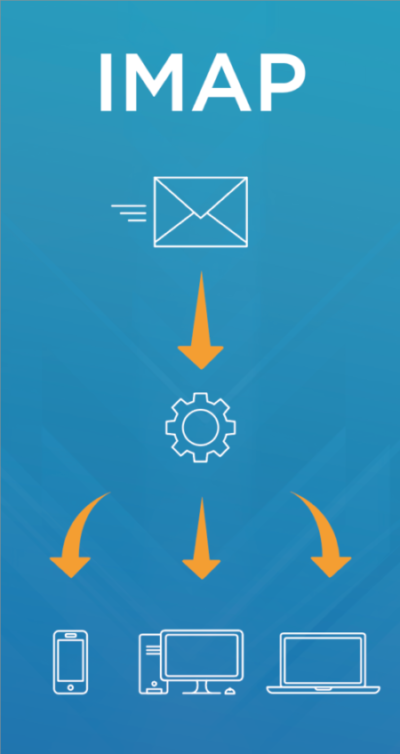
The Internet Message Access Protocol (IMAP) is a mail protocol used to access email on a remote web server from a local client without removing them from the server.

HOW DOES IMAP HANDLE USER ACCESSIBILITY?

  • IMAP enables total email management via multiple email clients and across multiple devices, so more than one user can access these accounts simultaneously.
  • IMAP also provides advanced syncing features, which means any changes you make to an IMAP or an IMAP archive are saved and reflected from all locations, such as your laptop or mobile phone.

HOW DOES IMAP HANDLE USER ACCESSIBILITY?

  • You can configure archiving systems to convert IMAP backups to PST files, which enables offline access.
  • PST files contain all emails downloaded at the time of the copy, which frees up space.
  • Emails will remain in the IMAP backup tool unless they’re explicitly removed by the user or until a configured date.

WHAT IS POP?

Post Office Protocol version 3 (POP3) is a standard mail protocol used to receive emails from a remote server to a remote email client

HOW DOES POP HANDLE USER ACCESSIBILITY?

  • POP3 mail moves the message from the email server onto your local computer, though there is usually an option to leave messages on the server.
  • POP3 doesn’t sync to more than one devices, so changes made on one copy aren’t reflected on other copies.
  • POP3 protocol requires the connected client to be the only client connected to the mailbox.

HOW DOES POP HANDLE OFFLINE ACCESS?

  • POP3 enables you to download email messages onto your local computer and read them when you’re offline or without internet connection, reducing the space your email account takes up on your web server.
  • Emails remain in the POP backup tool until they’re explicitly removed by the user or until a configured date.

Safeguarding the business and personal data found within emails should be a priority for every organization.

Intradyn’s archiving software will enable your business to safely secure and access sensitive data and effectively satisfy email retention rules and regulations.

See a demo of Intradyn’s archiving solution, including real world examples of how your company can use our solution for eDiscovery.

watch video