Archiving Operating System (AOS) 7.5 Release Notes


Modernized Microsoft 365 Collection, Simpler Certificate Management, and Sharper Search
AOS 7.5 is a broad, high-impact release built around what matters most to organizations that depend on Intradyn for compliance and long-term data retention: cleaner search results, simplified security management, and modernized Microsoft 365 collection.
Whether you are running a hybrid environment, managing SSL certificates across your deployment, or relying on Microsoft 365 as a primary platform, this release delivers improvements you will notice.
Here is a complete breakdown of what is new in AOS 7.5.
1. New Features
Search Precision
Administrators can now exclude signatures, footers, and legal disclaimers from search indexing, preventing common email signature blocks, footers, and legal disclaimers from being included as searchable index terms. The option can be enabled or disabled to match organizational search requirements. By reducing repetitive boilerplate in the index, this feature can produce cleaner, more relevant search results and help reviewers focus on message content.
Automated SSL Certificate Management
AOS 7.5 adds automated Let’s Encrypt certificate issuance and renewal, along with updated interface options for managing SSL certificates. This allows administrators to simplify certificate maintenance and reduce the risk of service interruptions caused by expired certificates.
Microsoft 365 Collection Modernization
The Exchange Crawler now runs on the Archiver, removing the need to download and install a separate desktop application. It now uses Microsoft Graph API rather than the deprecated Exchange Web Services (EWS) interface for data collection. As a result, deployment and maintenance are simpler, and collection is aligned with Microsoft’s current API platform.
In addition, Teams Sync, Folder Sync, and Contact Sync services have been rewritten to collect data through Microsoft Graph API instead of Exchange Web Services. This means these integrations now use Microsoft’s supported service model for improved long-term compatibility.
Expanded Virtual Deployment Support
An AOS virtual appliance is now available for deployment on Proxmox hypervisors, so organizations using Proxmox can deploy the Intradyn Archiver within their existing virtualization environment.
2. Enhancements
Security and Auditability – LDAP connections no longer accept the deprecated RC4 encryption method, and automatic deletion of export files at expiration is now recorded in the audit log. Furthermore, the system requirements and supporting libraries have also been updated to keep the platform current and secure.
Upgrade and Migration Visibility – The AOS 6-to-AOS 7 migration process now records ongoing performance statistics, providing better visibility into migration progress. During upgrades, the system also automatically corrects categories for SMTP email sources to improve counts and reporting graphs.
Time Display Consistency – Time input fields now consistently accept 12-hour time with AM/PM selections, and displayed times are now consistently shown in 12-hour format with AM/PM instead of 24-hour time. In addition, the time-zone list is also now strictly sorted by GMT offset.
Remote Backup Information – When no remote backup schedule exists, the configuration page now displays an informational note instead of a warning. To add on, Remote Backup Job details now show the backup location as it was configured when the job ran, and Backup Job details now include explicit backup-location information.
Interface and Documentation Refinements – Visual consistency and alignment have been restored across interface elements following library and framework updates. Product help documentation has been reviewed for spelling and grammar, and the branding logo has been restored. Also, the Retention Policy department-extension labels now accommodate longer department names.
3. Bug Fixes
Search, Message Viewing, and Email Lists
Search is more dependable in this release, starting with a fix for a core query issue that could prevent searches from completing correctly. Results are also easier to read now that raw HTML markup no longer appears in summary snippets, and the Search sort-order control no longer gets clipped at certain screen resolutions.
Reading and browsing messages has improved as well. Long messages now display in full in the paned reading view, and HTML message bodies that previously failed to render now open correctly. When scrolling through email lists, users will find that lists keep loading past the first 20 items and no longer break during rapid scrolling, so there’s no need to reload the page.
Microsoft 365, Mail, and Data Integrations
Several fixes make Teams Sync more reliable. It no longer crashes when an attachment is missing its content URL value, and Teams chat emojis now carry over correctly after synchronization. Beyond Teams, federated search now communicates and handles permissions properly, and Barracuda migrations run without crashing.
Mail and data connections are also more robust. SMTP email from CellTrust or MailKit servers is now handled correctly even when the sending server starts communication in an unexpected order. Environments that use both SAML and LDAP no longer run into compatibility problems, and AWS SFTP uploads now complete without the initialization error that previously stopped them.
Backup, Standby, and System Reliability
Warm Standby is more dependable in AOS 7.5. Standby systems are no longer left permanently marked as down, and Phone Number Exclusion settings now carry over correctly when a standby system is promoted.
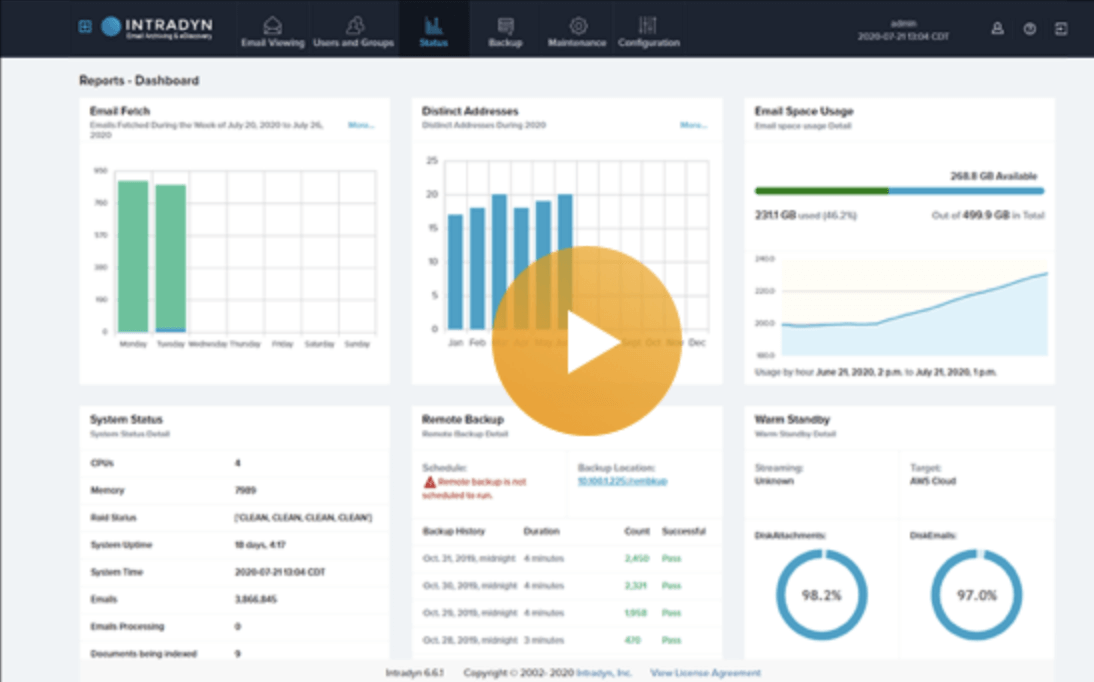
Remote Backup has received a number of fixes as well. Calendar entries now appear on the correct date, hourly backup timestamps display accurately in both calendar and schedule-detail views, and backup history is once again visible on the main Dashboard. Running backup jobs also no longer hold up AOS upgrades. At the system level, a corrupt status-state file no longer crashes status servers and the services that depend on them.
Authentication, Configuration, and Administration
Password changes now go more smoothly. Changing your own password no longer triggers false authorization warnings, and password fields return to normal instead of staying highlighted in red afterward. Adding an OAuth provider is also cleaner, without the blank warnings, raw error output, or creation failures that could appear before.
Administrators will notice several configuration improvements too. The Synchronize with NTP Server option can now be selected in System Settings, and Mailbox Services forms now require a fully qualified domain name (FQDN) rather than accepting an empty one. The copy icon is back next to the Standby Configuration Key, and the SSL certificate signing request form now follows the correct keyboard tab order.
Interface and Usability
This release smooths out a range of interface issues. Empty warning pop-ups no longer appear intermittently on Angular pages, the onboarding workflow displays correctly, and the Close button on the Export Email dialog now closes the window as expected. Pages also lay out properly at high zoom levels and on high-density displays, and Angular pages render correctly for users with custom permission sets.
Time and dashboard displays are more accurate as well. Footer clocks stay in sync with the browser time, and Phone Number Exclusion records now show the user’s local time instead of system time. Elsewhere, action buttons in My Contacts respond correctly, Dashboard graph tooltips stay steady, and Email Activity X-axis labels no longer overlap.
Additional Information
Before upgrading, review your current integrations, certificate-management approach, backup schedules, and Microsoft 365 permissions. After the upgrade, confirm that data collection, synchronization, searches, exports, and backups operate as expected in your environment.
For assistance planning the update, configuring new features, or validating your system after the upgrade, contact Intradyn Support or your Intradyn representative.