Archiving Operating System (AOS) 7.3 Release Notes

We are excited to introduce AOS 7.3, a major release that significantly expands the capabilities of the Intradyn Archiver. This update brings powerful new AI-powered compliance tools, improved storage controls, workflow refinements, a refreshed interface, and the restoration of key features previously available in the 6.x product line.
This upgrade is designed to help IT administrators, compliance professionals, and end users work more efficiently, maintain compliance with evolving regulations, and better manage their archived data.
Please review the updates below and determine whether any configuration changes are needed in your environment.
Customer-Facing Changes
This section summarizes the most impactful changes users will notice immediately after upgrading.
1. New Features
1.1 Compliance & AI Enhancements
AI-Powered PII Detection & Search
AOS 7.3 introduces automated detection of Personally Identifiable Information (PII) using advanced AI models.
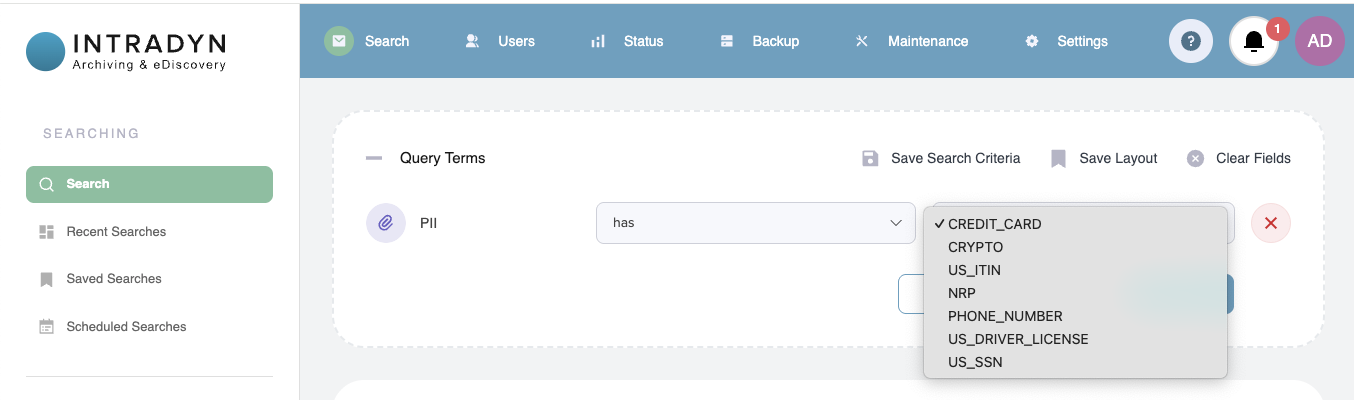
The system now identifies and makes searchable:
- Phone numbers
- Bank account numbers
- Social Security numbers
- Other sensitive identifiers
Why this matters:
Compliance teams gain stronger visibility into sensitive data, enabling faster audit response and reducing regulatory risk.
1.2 Storage & Archiving Controls
Raw Email Deletion Option
Admins can now choose whether raw emails should be retained indefinitely or automatically deleted when the system nears full capacity.
- Default behavior: raw emails are kept
- New option: auto-delete raw emails as disk usage approaches limits
Benefit:
Better long-term storage management — especially for systems with rapidly growing datasets.
Folder Sync from Deleted Items (Available Upon Request)
AOS 7.3 introduces support for syncing messages from a mailbox’s Deleted Items folder. This ensures that messages users delete in their mail client can still be captured and retained by the Archiver, helping organizations maintain a more complete and compliant record of communications.
This feature is available upon request for customers who require Deleted Items syncing as part of their retention or compliance policies. If your organization would benefit from this capability, don’t hesitate to contact Intradyn Support to discuss enabling it in your environment.
1.3 Features Re-Enabled in AOS 7.3
“Headers Only” Mode
Admins can again select Headers Only mode during onboarding.
This mode archives message metadata only, reducing storage footprint while maintaining compliance.
Customer Branding
Branding capabilities (logo, colors, company name) are fully restored and configurable without support assistance.
Remote Backup / Restore
The Remote Backup feature allows you to create encrypted backups of your Intradyn Archiver data to a remote storage location. This provides an additional layer of data protection and disaster recovery capabilities.
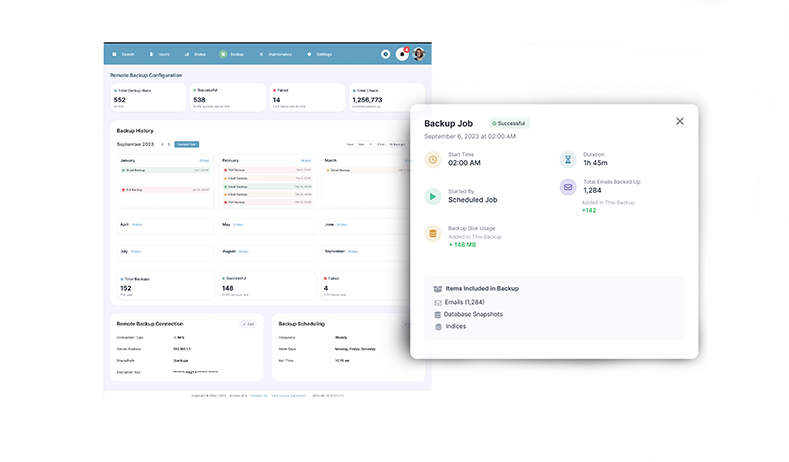
Support for remote backup/restore has been reinstated, including:
- NFS
- CIFS/Samba
Benefit:
Customers dependent on legacy backup workflows now have full parity with 6.x functionality.
2. Enhancements
2.1 User Interface & Design Enhancements
AOS 7.3 includes a wide range of visual and usability improvements:
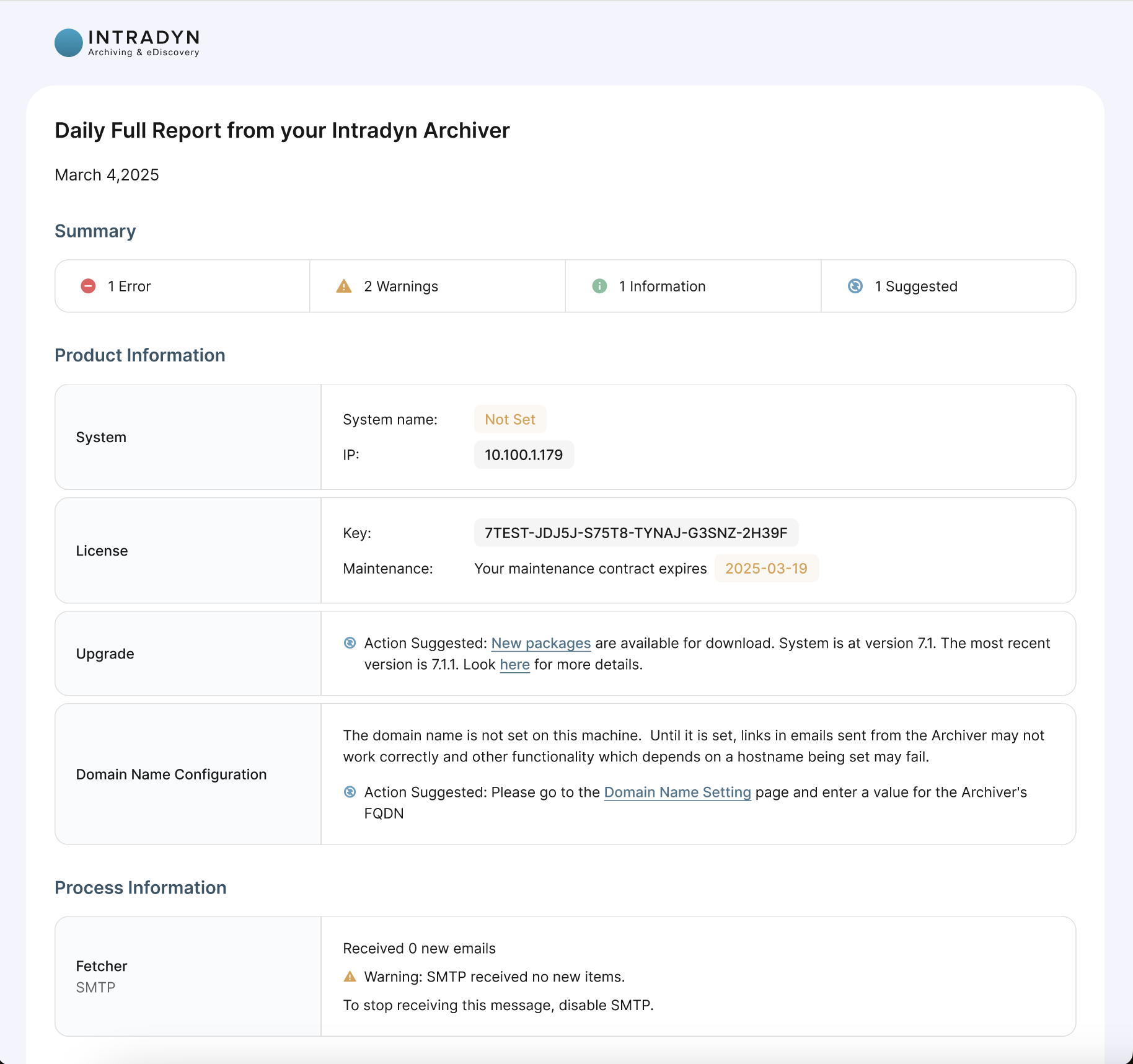
- Fully redesigned “Daily Full Report” email, including improved testing templates
- Updated and standardized product logo
- Redesigned outgoing system-generated emails
- More uniform “view in Archiver” links
- Refined color palette for better readability
- Centered table icons across all pages
- Conversation icon moved into the main action bar for improved visibility
2.2 System Behavior & Reliability Improvements
- Clear explanations now appear when system-wide fetch or SMTP is disabled (e.g., disk > 95%, expired license, active migration).
- Fixed rare cases where ZIP files caused the shredder to hang.
2.3 Updated End-User License Agreement (EULA) — Action Required
Partner Information Added to EULA
Partner-related information has been added to the EULA as part of this release.
Please Review the Updated EULA
We strongly recommend that administrators review the updated EULA in full, especially the newly added partner-related sections located at the bottom of the document.
This update may affect compliance, procurement, or legal documentation requirements within your organization.
3. Email Workflow Improvements
3.1 Email Forwarding Improvements
- Forwarded messages are now always attached as files, reducing spoofing risk.
- SMTP settings include a new “Skip SSL Certificate Verification” option.
- SSL-related forwarding failures now generate clearer error messages.
3.2 Email Import Improvements
- The system now blocks imports that would exceed available disk space.
- Password-protected ZIPs are now supported during import, improving compatibility with secure email export tools.
3.3 Email Export Improvements
- Exports nearing disk capacity now pause automatically and resume once space is available.
⚠️ Exported Files Now Auto-Expire After 60 Days — Major Change
Exported files will now automatically delete after 60 days unless manually copied elsewhere.
This is a significant change from previous behavior, where exported items remained in the export folder indefinitely.
What Users Need to Do:
- If your workflows depend on long-term retention of exported files, ensure you download and store copies externally before the 60-day expiration period ends.
- Administrators should notify any internal teams that rely on archived exports (legal, compliance, auditors, etc.) to prevent unexpected data loss.
- Concurrent export jobs are capped at three, with queuing for additional jobs to maintain stability.
4. Bug Fixes
AOS 7.3 includes numerous stability, compatibility, and UI fixes:
System & Processing Fixes
- Fixed standby health-check tracebacks from misconfigured settings.
- Eliminated standby infinite logging loop that could consume disk space.
- Improved email processing efficiency.
- Data retention status now displays correctly.
Platform & Integration Fixes
- Corrected migration failures when SMTP whitelists included FQDNs.
- Fixed Teams sync crash conditions.
- Gmail crawler now functions even when some users lack mail services.
- Resolved PST import failures on LDAP-connected vaults.
- Fixed incompatibility between “Accepted Mailbox” SMTP feature and Exchange Crawler.
UI & Usability Fixes
- Non-ASCII header emails no longer fail ingestion.
- Scroll issues with large email headers resolved.
- Web interface no longer crashes when downloading files >10GB.
- User-time display errors corrected across multiple pages.
- Read/unread indicators no longer disappear during scrolling.
- Read markers no longer persist across searches.
- “Open in New Tab” reliably opens the correct email.
Removed incorrect “Search has completed” message when modifying tags/labels. - Saved search names now limited to 50 characters to prevent UI overflow.
AOS 7.3.2
This AOS 7.3.2 release focuses on resolving reported issues and improving overall system stability and reliability. Customers are strongly encouraged to update to this version as soon as possible to benefit from these fixes.
- Fixed an issue where the Email Activity page would crash with an HTTP 500 when “Surrounding Range: All Time” returned no results.
- Fixed an issue where export zip files were being deleted within a day or two instead of being retained for the full 60-day period.
- Fixed an issue where clicking “View” on the Notification Email History page caused an Internal Server Error.
- Fix for some raw imports causing errors or repeated retries.
- Fixed an issue where the SMTP page incorrectly reported the service as not running while an Email Import was in progress.
- Fixed an issue where TNEF emails displayed a “This email is not available in PDF format” error when using Print to PDF.
- Fixed an issue where some customers saw base64-encoded content instead of the email body in nightly notification emails.
Tutorials
Below are some of the important AOS 7-series video tutorial:
- Basic Search Tutorial
- Advanced Search Tutorial
- Standby Onboarding Tutorial
- Federation Search Setup Tutorial
- Federation Setup AOS 6-series to AOS 7-series
- Import Import (PST, historical emails, etc.)
- Data Retention Basics Tutorial
- Advanced Data Retention Tutorial
Thank you for continuing to trust Intradyn as your partner in archiving, compliance, and data governance. We remain committed to delivering secure, innovative, and dependable solutions that evolve with your organization’s needs. If you have questions about any of the updates in this release or would like assistance enabling new features, our team is here to help. Please reach out to your Intradyn sales representative or contact us at sales@intradyn.com for personalized support.